
I was sitting in my garage last Saturday, surrounded by the smell of ozone and old solder, staring at a stack of beige towers that had been gathering dust since the Clinton administration. I realized that most of the “expert” advice you find online about how to dispose of old hardware is either way too expensive or relies on some vague, corporate-speak about “environmental stewardship” that doesn’t actually tell you where to drive your car. It’s incredibly frustrating when every guide assumes you have a dedicated logistics team or a massive budget just to clear out a closet, rather than just needing a way to make the junk disappear safely.
I’m not here to sell you on a high-priced recycling subscription or lecture you on theoretical sustainability. Instead, I’m going to give you the actual, boots-on-the-ground methods I’ve used for sixteen years in IT support to clear out the clutter. I will walk you through the specific, verified ways to wipe your data so you don’t lose your identity, and then show you exactly where that gear can go without it ending up in a landfill. This is going to be a no-nonsense roadmap for getting your space back.
Table of Contents
How to Wipe Personal Data From Old Computers Without Losing Your Mind
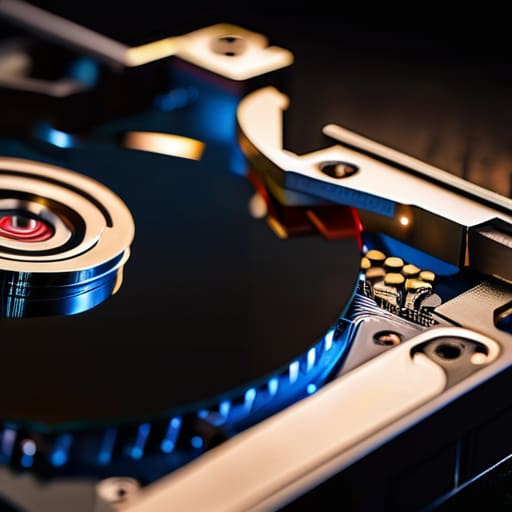
Before you even think about dragging that dusty tower to the curb, we need to talk about the data sitting on it. I’ve seen too many people think that dragging their “Personal” folder to the Recycle Bin is enough. It isn’t. It’s like throwing a diary in the trash but leaving the pages unglued; anyone with half a brain and a cheap recovery tool can pull your banking info or private photos right back out. If you want to know how to wipe personal data from old computers properly, you have to go beyond just hitting “delete.”
I usually tell my team to use a dedicated drive-wiping utility—something that overwrites the entire drive with random bits of junk data multiple times. If you’re dealing with an older mechanical drive and you’re truly paranoid, secure hard drive destruction via a drill or a hammer is the only way to be 100% certain. However, if you’re working with a newer SSD, be careful; traditional overwriting can actually wear them out faster without actually clearing the cells. Just take a breath, pick a tool, and let it run while you go grab a coffee.
Find Certified Electronics Recyclers Before You Give Up
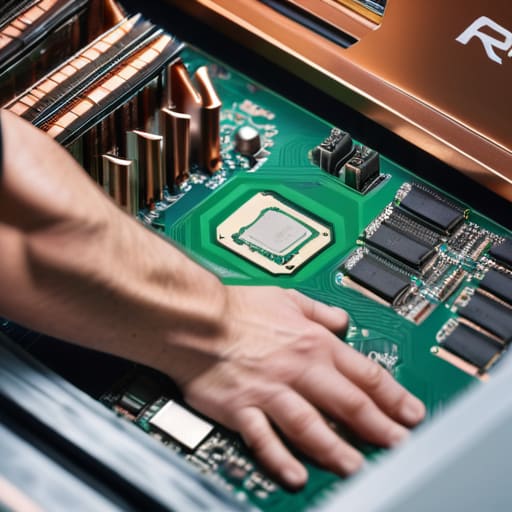
I’ve spent enough years in school IT to know that “just throwing it in the bin” is a recipe for a headache you don’t want. If you start searching for e-waste recycling centers near me, you’re going to see a dozen different options, and honestly, most of them look the same on paper. The trick is looking for the acronyms. You want to find places that are R2 or e-Stewards certified. I always tell my junior techs: if they can’t tell you exactly where that motherboard ends up, they aren’t the ones you want handling your gear.
It isn’t just about being a good citizen, either. The environmental impact of electronic waste is no joke; when heavy metals leak out of a landfill, it’s a mess that takes decades to fix. Plus, if you have old tablets or laptops sitting in a drawer, you need to find a safe way to discard lithium batteries. Tossing those in the regular trash is a fire hazard, and I’ve seen enough scorched bins to know it’s not worth the risk. Take the extra ten minutes to find a pro; your conscience (and your local fire department) will thank you.
Five Things to Do Before You Toss the Old Gear
- Don’t forget the peripherals. Everyone remembers the laptop, but I’ve seen way too many people throw out a printer or an old scanner without checking if there’s a proprietary driver or a specific setting they’ll need if they try to reuse it later.
- Check your cables before they go in the bin. I keep a “junk drawer” of high-quality USB-C and HDMI cables from old machines; most of the time, the hardware is dead, but the cord is perfectly fine and worth saving for a rainy day.
- Pull the CMOS battery if you’re storing things long-term. If you aren’t ready to recycle yet and are just shoving a desktop in the closet, pop that little coin battery out so it doesn’t leak acid and ruin the motherboard while it’s sitting there.
- Physical destruction is your friend for old drives. If you’re too paranoid to run a software wipe on an ancient mechanical hard drive, honestly? Just take a drill to it. It’s much faster than me sitting there watching a progress bar for three hours.
- Keep a simple log of what you actually ditched. I always jot down the serial numbers of the big stuff before it leaves the building; it saves me a massive headache six months later when someone asks, “Hey, where did that old Dell go?”
The Finish Line

Look, I know this feels like just another chore on a list that’s already too long. But we’ve covered the ground now: you’ve learned how to scrub your personal data so no one is snooping through your tax returns, and you know that finding a certified recycler is much better than just tossing a motherboard into the bin behind the grocery store. It’s about being methodical. If you take the time to wipe the drive properly and find a legitimate drop-off point, you’ve done the heavy lifting. You aren’t just clearing desk space; you’re closing the loop on a piece of tech that has served its purpose.
At the end of the day, my goal is to make sure you don’t feel like you’re fighting the machine. Technology is supposed to work for us, not become a mountain of clutter that stresses us out. Once that last piece of hardware is out the door and your data is secure, I want you to take a second to actually enjoy that extra breathing room. You’ve handled the technical side, you’ve done the right thing for the environment, and now you can finally stop worrying about that pile of junk. You’ve got this, and honestly, your future self will thank you for taking the time to do it right the first time.
Frequently Asked Questions
I've wiped the drive, but is it actually safe to just toss the old hard drive in the bin now?
Absolutely not. Please, don’t do that. Even if you ran a wipe utility, there’s always that nagging feeling that a little bit of data might have slipped through the cracks. I’ve seen too many “wiped” drives come back to life in the wrong hands. If you’re truly done with it, take a drill to the platters or a hammer to the casing. Physical destruction is the only way I sleep soundly at night.
What do I do with all those tangled cables and power bricks that I don't want to keep?
Don’t let the “drawer of doom” win. Honestly, those tangled nests of proprietary power bricks and mystery USB cables are the worst. My rule of thumb? If you haven’t seen the device it belongs to in three years, it’s dead weight. Group them by type—power cables, data cables, adapters—and take them to that same certified recycler we talked about. They handle the copper and plastic much better than a landfill ever will.
Is it worth the effort to try and sell my old gear, or should I just head straight to the recycler?
Look, if you’ve got a high-end gaming rig or a MacBook from two years ago, it’s worth the extra hour to list it online. You’ll get more than a recycler’s credit. But if you’re staring at a drawer full of tangled cables, old monitors, and beige towers from the Clinton administration? Don’t waste your Saturday. Just take it to the recycler. Your sanity is worth more than the five bucks you’ll net from a Craigslist sale.
