
I was sitting at my desk last Tuesday, staring at a ticket from a teacher who was ready to throw her workstation out the window because her hand felt like it was being cramped by a claw. It’s the same story I’ve heard for sixteen years: someone buys a “high-performance” gaming mouse with twenty programmable buttons and RGB lights that pulse like a disco, only to realize it’s completely unusable for actual work. Most guides on how to choose a mouse will try to sell you on DPI settings and sensor polling rates that you don’t even need, leaving you more confused than when you started.
I’m not here to push some overpriced peripheral or talk your ear off about specs that don’t matter. My goal is to give you the straight talk you won’t find in a glossy retail brochure. I’m going to walk you through the actual mechanics of comfort, grip styles, and connectivity so you can stop fighting your hardware and start using it. We are going to skip the marketing fluff and focus on the one thing that matters: finding a tool that feels like an extension of your hand, rather than a nuisance you have to endure.
Table of Contents
The Truth About Optical vs Laser Sensors
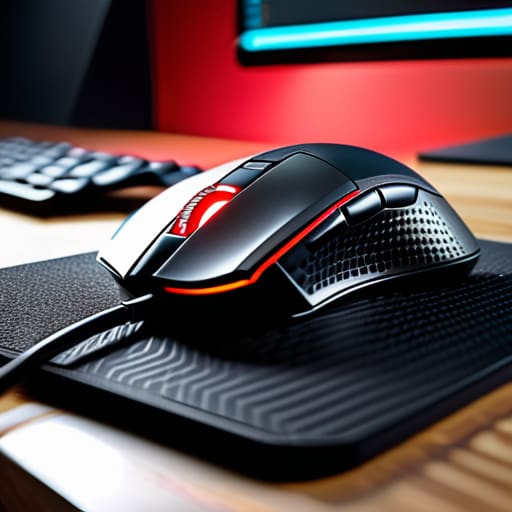
Most of the marketing fluff you read online will try to convince you that laser is “better” because it’s more advanced. That’s a lie. In my sixteen years on the service desk, I’ve seen people swap out perfectly good hardware for “upgraded” gear only to find their cursor jittering like crazy. Here’s the reality: optical vs laser sensors isn’t a contest of quality; it’s about what you’re actually doing. Optical sensors use an LED and are generally more reliable because they don’t get “confused” by shiny surfaces or complex textures.
If you’re looking at a gaming mouse vs productivity mouse, you’ll notice most serious gamers stick to optical. Why? Because they are more predictable. Laser sensors can be incredibly sensitive—sometimes too sensitive—which leads to that annoying acceleration effect where the cursor moves further than your hand actually did. If you want precision and a consistent feel, stick with optical. If you’re working on a glass desk in a coffee shop and don’t want to carry a mousepad, then—and only then—is a laser sensor actually worth the headache.
Gaming Mouse vs Productivity Mouse Pick a Side
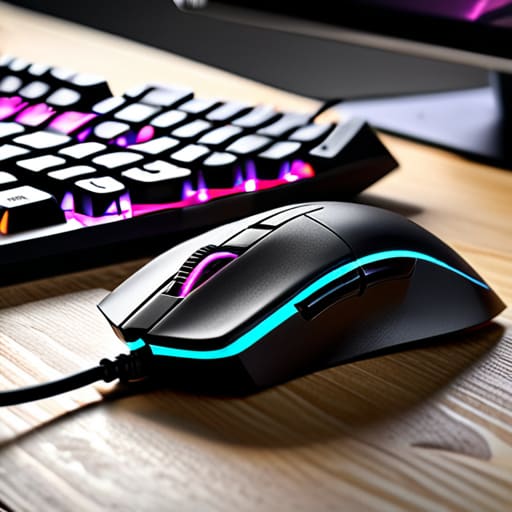
Here is where most people trip up. You see a mouse with flashing RGB lights and ten extra buttons and think, “That looks powerful,” but if you’re just trying to manage spreadsheets for eight hours, you’re actually buying yourself a headache. A gaming mouse vs productivity mouse debate usually boils down to what you’re doing with your hands. Gaming mice are built for speed and hyper-responsiveness; they often have high-end sensors that can track microscopic movements. If you try to use one for heavy office work, the sensitivity might feel twitchy and erratic, making it harder to click a tiny cell in Excel.
On the flip side, productivity mice are designed for comfort and efficiency. They usually prioritize wrist strain prevention through ergonomic shapes that support your palm, rather than being lightweight enough to flick around a desk. While a gamer wants to minimize weight to react faster, I usually tell my users to look for something that fits their natural hand position. If you’re stuck deciding, ask yourself: am I trying to win a match, or am I just trying to finish this report without my hand cramping up?
Five Things Your Mouse Box Isn't Telling You
- Stop obsessing over DPI numbers. Most of those “25,000 DPI” claims on the box are just marketing fluff that’ll actually make your cursor fly across the screen like it’s on ice. You only need enough sensitivity to move comfortably; anything more is just extra noise you don’t need.
- Check your grip style before you click ‘buy.’ If you’re a fingertip gripper, a massive ergonomic mouse is going to feel like you’re trying to steer a cruise ship with a toothpick. Figure out if you hold it with your whole palm or just your claws, and match the shape to that.
- Don’t ignore the weight. I see people buying these heavy, “premium” mice thinking they’re better quality, but if you’re moving it around all day, that extra weight is just going to turn your wrist into an ache by lunch. Lightweight is usually the smarter play for long sessions.
- Look at the cable (or don’t). If you’re going wireless, make sure it actually has a decent battery life so you aren’t tethered to a charging cable every three days. If you’re going wired, look for a “paracord” style cable—the ones that are flexible enough that you forget they’re even there.
- Test the button tension. A mouse can look beautiful, but if the click feels mushy or requires a heavy stomp just to register, you’re going to be frustrated within an hour. You want a click that feels crisp and consistent, not something that feels like stepping in mud.
Don't Overthink It, Just Get Moving
Look, we’ve covered a lot of ground here, and I know it feels like a lot when you just want to get back to work or finish a match. Just remember the basics: if you’re doing precision work or gaming, go for that optical sensor; if you’re just moving spreadsheets around, a standard laser or optical mouse is more than enough. Don’t get caught up in the “pro-gamer” marketing if you’re just trying to avoid wrist strain during a nine-to-five. At the end of the day, it comes down to whether you need specialized performance or just a reliable tool that doesn’t skip when you’re trying to click a tiny icon. Pick the tool for the job you actually do, not the job you think you should be doing.
I’ve spent sixteen years watching people struggle with hardware that simply wasn’t meant for them, and it’s a preventable headache. My advice? Don’t be afraid to spend an extra twenty bucks to get something that actually fits your hand. A mouse is the primary way you communicate with your machine, so stop settling for something that feels like a piece of cheap plastic. Once you find that perfect ergonomic fit, you’ll realize that most of your “computer problems” were actually just you fighting your own gear. Go grab something decent—your wrists will thank you later.
Frequently Asked Questions
Do I really need one of those fancy programmable mice, or is a standard one fine?
Honestly? For most people, a standard mouse is more than enough. I see people spend a fortune on those programmable buttons only to use them for “back” and “forward.” Unless your workflow involves heavy macro use or you’re deep into competitive gaming, you’re just paying for extra plastic. If you find yourself clicking the same five things a hundred times a day, maybe consider it. Otherwise, save your money.
My hand cramps up after an hour—how do I know if I need a vertical mouse?
If your hand is cramping, your body is telling you that your wrist is stuck in a “pronated” position—basically, you’re twisting your forearm bone against bone just to keep your palm flat. I’ve seen this a dozen times on the help desk. If you feel that dull ache in your forearm or a pinch in your wrist, stop trying to power through it. A vertical mouse lets your hand rest in a natural handshake position. It’s worth the switch.
Is a wireless mouse actually going to lag, or am I just paying extra for nothing?
Look, I’ve seen enough frustrated users freeze up mid-click to know why you’re asking. Here’s the truth: if you buy a cheap, generic wireless mouse from a grocery store, yeah, you’re going to deal with lag and “jitter.” But if you get a decent one with a dedicated 2.4GHz USB dongle, you won’t notice a thing. Bluetooth is where the lag usually hides. Stick to a dongle, and you’re golden.
