
I was sitting in a cramped school server closet last Tuesday, surrounded by the smell of ozone and old dust, listening to a teacher explain how her “high-end” new router was still dropping calls in the classroom next door. It’s the same story I’ve heard for sixteen years: someone spends a fortune on the flashiest box with the most antennas, only to realize they have no idea how to choose a router that actually matches their floor plan. Most of the marketing fluff you see online is designed to sell you more bandwidth than you’ll ever use, leaving you with a black hole of connectivity right where you need it most.
I’m not here to sell you on the latest buzzword-heavy hardware or make you feel small for not knowing what a “tri-band mesh node” does. My goal is to give you the same straightforward, verified steps I use when I’m setting up a network for a small clinic or fixing a stubborn home setup. I promise to cut through the jargon and show you exactly what matters—like signal penetration and device capacity—so you can stop guessing and start actually connecting.
Table of Contents
Wifi 6 vs Wifi 7 Dont Pay for Overkill
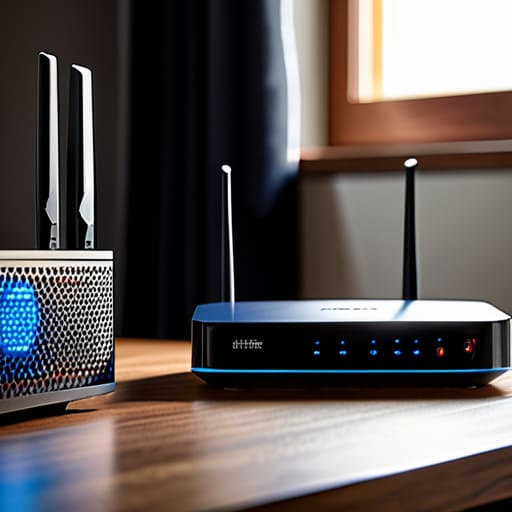
I’ve spent enough time staring at spec sheets to know that marketing departments love to make you feel like you’re living in the Stone Age if you don’t have the latest hardware. Right now, everyone is shouting about wifi 6 vs wifi 7, and if you listen to the salesperson, you’ll end up with a piece of gear that costs more than my first car. Here’s the reality: unless you are running a house full of high-end workstations or specifically hunting for the best router for gaming with zero-latency requirements, Wi-Fi 7 is likely overkill for your current setup.
Most people I help on the service desk are just trying to get a Zoom call to stop stuttering or to stream a movie without the dreaded buffering wheel. For those needs, Wi-Fi 6 is more than enough. It handles multiple devices beautifully without breaking the bank. Unless your internet speed requirements are pushing into the multi-gigabit range and every single device in your home is brand new, save that extra two hundred dollars. You’re better off putting that money toward a solid mesh system or just a really good ethernet cable for your main desk.
Understanding Your Actual Internet Speed Requirements
Before you click “buy” on that shiny new piece of hardware, we need to talk about the one thing most people ignore: your actual service plan. I’ve spent years sitting in breakrooms watching teachers get furious because their “high-speed” internet feels like dial-up, only to find out they’re paying for 1Gbps but only using 50Mbps for basic browsing. You have to match your hardware to your internet speed requirements, otherwise, you’re just buying a faster engine for a car that’s stuck in a school zone.
If you’re just scrolling through Facebook and checking emails, a basic setup is fine. But if you’re looking for the best router for gaming or running a household where three people are on Zoom calls simultaneously, you need more headroom. This is where the debate over dual-band vs tri-band routers actually matters. A tri-band setup isn’t just a marketing gimmick; it’s like adding an extra lane to a highway so your gaming rig doesn’t get stuck behind someone’s Netflix stream. Don’t overspend, but don’t starve your devices either.
5 Things the Box Won't Tell You (But Your Living Room Will)
- Stop obsessing over “Dual-Band” vs “Tri-Band” until you look at your device list. If you have thirty smart bulbs, a couple of tablets, and two gaming consoles, you need that extra band to act as a traffic lane so your Netflix stream doesn’t choke every time someone turns on a light.
- Check the physical footprint and the antenna situation. I’ve seen people buy these massive, glowing “gamer” routers that look like spaceships, only to realize they have zero signal strength in the bedroom because the router is tucked inside a metal media cabinet.
- Look for “MU-MIMO” support in the fine print. It sounds like technical gibberish, but it’s basically the difference between a router talking to one device at a time in a line, and a router that can actually hold a conversation with everyone in the house at once.
- Don’t ignore the coverage area listed on the packaging. If the box says “up to 3,000 sq ft,” realize that’s in a perfect laboratory with no walls. If you live in a house with plaster walls or multiple floors, you’re going to need a mesh system, not just one single powerhouse box.
- Make sure there’s a dedicated app that doesn’t suck. I’ve spent way too many afternoons helping people navigate settings menus that look like they were designed in 1998. If the setup process looks like a nightmare, trust your gut and put it back on the shelf.
Don't Let the Spec Sheet Win
At the end of the day, choosing a router shouldn’t feel like you’re studying for a networking certification. We’ve covered a lot, but if you walk away with nothing else, remember this: stop chasing the highest number on the box if it doesn’t match your reality. You don’t need a top-of-the-line WiFi 7 beast if you’re just streaming Netflix in a two-bedroom apartment, and you certainly shouldn’t buy a budget model if your house is a maze of brick walls and dead zones. Match your actual bandwidth needs to a device that offers enough coverage for your specific floor plan. It’s about finding that sweet spot between cost and coverage, not just buying the most expensive piece of plastic on the shelf.
I know how it feels to stare at a dozen different models, all promising “lightning speeds,” only to end up with a device that drops connection every time you use the microwave. It’s exhausting. But once you stop looking at the marketing fluff and start looking at your own home, the choice becomes much simpler. You deserve a network that just works in the background so you can get back to your life. Take a breath, trust your gut, and pick the one that actually fits your space. You’ve got this, and your sanity is worth the extra ten minutes of research.
Frequently Asked Questions
I have a big house with thick walls; will a single router actually reach my bedroom, or do I need a mesh system?
Look, if your walls are thick—especially if they’re plaster or brick—a single router is probably going to lose the battle before it even reaches your bedroom. I’ve seen too many people buy a high-end router thinking it’s a magic wand, only to find the signal dies in the hallway. If you’ve got dead zones, stop fighting it and just get a mesh system. It’s much easier than moving furniture to find a signal.
Do I really need to care about how many devices I have, or is that just marketing fluff?
It’s definitely not just marketing fluff, though I get why it feels that way. Think of your router like a kitchen table: it doesn’t matter how much food you have if there aren’t enough seats for everyone to eat at once. Every smart bulb, tablet, and streaming stick is a “guest” at that table. If you pack too many onto a cheap router, they’ll all end up fighting for scraps, and your connection will crawl.
If I buy a high-end router now, will it actually be obsolete in two years when the next standard comes out?
Look, I get the anxiety. You don’t want to drop three hundred bucks on a piece of plastic only to have it feel like a paperweight by 2026. Here’s the truth from someone who’s seen a dozen “next big things” come and go: No, it won’t be obsolete. Standards move slower than marketing departments claim. If you buy a solid Wi-Fi 6E or 7 router today, it’ll serve your home just fine for years. Don’t chase the ghost of “future-proof.”
