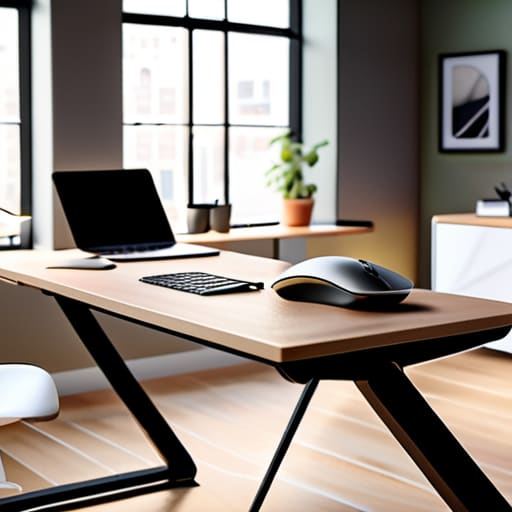
I’ve spent sixteen years in IT support, and if I had a nickel for every time I saw someone buy a three-thousand-dollar “smart chair” only to sit in it like a gargoyle, I’d be retired on a beach by now. Most of the advice you find online about how to set up an ergonomic workstation is written by people who have clearly never spent eight hours straight troubleshooting a server crash. They want to sell you expensive gadgets and complicated posture-tracking apps, but they completely ignore the fact that you’re likely just hunched over a laptop that’s sitting too low on your kitchen table.
I’m not here to sell you anything or give you a lecture on spinal alignment that sounds like it came out of a medical textbook. I’m going to show you how to fix your setup using the stuff you actually already own. We’re going to go through this step-by-step, focusing on the small, manual adjustments that actually stop the ache in your neck and wrists. My goal is to give you a no-nonsense blueprint that works for real people with real desks, so you can stop fighting your furniture and get back to work.
Table of Contents
Fix Your Eye Level Monitor Placement Now

I’ve spent way too many years watching people hunch over like they’re trying to peer into a microscope, and let me tell you, your neck is going to pay for it by 3:00 PM. If you find yourself tilting your chin down or craning your neck forward, you aren’t just tired; you’re fighting your hardware. The goal for eye level monitor placement is simple: the top third of your screen should be directly in your line of sight. If you’re looking down, you’re pulling on those heavy muscles at the base of your skull.
If your screen is too low, don’t just settle for it. I actually keep a stack of sturdy, old textbooks by my desk for exactly this reason. Grab a couple of books or a dedicated monitor riser to lift that display up until you can sit back naturally. We aren’t looking for perfection, just a way of preventing neck strain at desk by making sure your spine stays relatively neutral. I always write down the height measurement once I find the sweet spot, just so I don’t accidentally nudge it later and ruin the progress.
The Real Secret to Proper Chair Lumbar Support
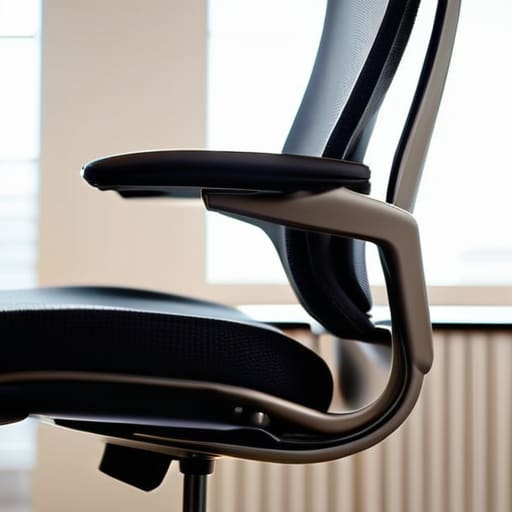
Most people think “lumbar support” is just a fancy word for a cushion they can buy on Amazon, but it’s actually about where your spine decides to stop being a straight line and starts slouching into a C-shape. I’ve seen it a thousand times on the help desk: someone complains about lower back fatigue, and when I look at their setup, they’re basically curled up like a shrimp. To get proper chair lumbar support, you need to find that natural inward curve of your lower back. If your chair doesn’t have a built-in bump there, don’t just lean back and hope for the best.
I usually tell my users to grab a firm rolled-up towel if they’re working from a kitchen chair or a cheap office seat. Place it right in the small of your back—just above your hips—so it pushes gently against your spine. This forces you to sit upright, which actually helps with preventing neck strain at desk because your head isn’t constantly fighting gravity to stay up. Once your base is stable, the rest of your body will finally stop trying to compensate for that slouch.
Five More Things Making Your Body Ache
- Stop reaching for your mouse. If your mouse is sitting way off to the side of your keyboard, you’re basically doing a side-stretch every time you click, and your shoulder is going to pay for it by lunchtime. Pull it in close so your elbow stays tucked by your ribs.
- Your wrists shouldn’t be doing gymnastics. I see people propping their wrists up on hard edges or bending them upward to reach the keys all day. Keep them straight and neutral—think of them like a flat bridge, not a ramp.
- Give your feet a job. If your feet are dangling or you’re tucked under your chair, you’re cutting off circulation and messing with your lower back. If you can’t reach the floor flat-footed, go grab a sturdy box or a footrest. It makes a massive difference.
- Watch that “tech neck” creep in. We tend to lean forward toward the screen when we’re concentrating, which is a recipe for a tension headache. Try to keep your ears lined up over your shoulders instead of poking toward the monitor like a turtle.
- The 20-20-20 rule isn’t just some corporate fluff. Every 20 minutes, look at something 20 feet away for 20 seconds. Your eye muscles are tiny muscles; they need a break from staring at a glowing rectangle just as much as your legs do.
One Last Thing Before You Get Back to Work
Look, I know it feels like a lot. Between adjusting your monitor so you aren’t staring at your chest and actually making sure your chair is supporting your lower back instead of just being a place to sit, it’s easy to feel overwhelmed. But remember, you don’t have to fix everything in one afternoon. Start with the monitor height, then move to the lumbar support, and slowly tweak the rest. The goal isn’t perfection; it’s about stopping the slow accumulation of pain that makes you dread sitting down at your desk every morning. If you take these small, incremental steps, you’ll stop treating your body like a piece of hardware that doesn’t need maintenance.
At the end of the day, your workstation shouldn’t be a source of friction in your life. I’ve spent sixteen years watching people burn out because they ignored the physical toll of their setup, and I don’t want that for you. Think of these adjustments as a preventative maintenance routine for your most important piece of equipment: yourself. You wouldn’t let a laptop run with a failing cooling fan until it fried the motherboard, so don’t do that to your spine. Take a breath, make one small change right now, and give yourself permission to feel better.
Frequently Asked Questions
My wrists still ache even when I'm typing straight on—do I actually need one of those fancy wrist rests?
I’m writing this down: Don’t rest your wrists on anything while typing. I know, it sounds counterintuitive, but those “fancy” rests are often the culprits. If you’re resting your wrists on a cushion while your fingers are hitting the keys, you’re actually putting pressure on the carpal tunnel. Use the rest only to support the fleshy base of your palm during breaks. Keep your wrists floating, straight, and neutral. Let’s get that ache to stop.
I don't have a standing desk, so how often am I supposed to actually get up and move?
Look, I don’t care if you have a thousand-dollar standing desk or a folding chair from a thrift store—sitting still is the enemy. My rule of thumb? Every thirty minutes, you need to stand up. Even if it’s just to walk to the kitchen for water or stretch your arms. If you can’t do thirty, aim for fifty. Just break the static posture before your lower back starts screaming at you.
My laptop is sitting on a regular desk right now; is there a way to fix this without buying a whole new monitor setup?
I hear you. You don’t need a $300 monitor arm to stop the neck strain. If you’re stuck with just the laptop, grab a stack of sturdy books—the thicker, the better—and prop the bottom of the laptop up until the top of the screen is at eye level. The catch? You’ll need a cheap external keyboard and mouse so your wrists aren’t reaching up at a weird angle. It’s a temporary fix, but it works.
