
I was sitting at my workbench last Tuesday, surrounded by the smell of old solder and dust, staring at a sleek, modern ultrabook that had decided to give up the ghost. The user was frantic, convinced it was a simple battery swap, but as soon as I reached for the chassis, I realized the truth: everything was soldered shut, glued down, and effectively dead on arrival. It’s infuriating how manufacturers treat us like we’re incapable of maintaining our own gear, hiding behind “minimalist designs” that are actually just excuses to force you into a costly upgrade. If you don’t know how to check laptop repairability before you swipe your card, you aren’t buying a tool; you’re buying a ticking time bomb.
I’m not here to give you a marketing lecture or a list of specs that don’t actually matter when a screw strips. I’m going to show you exactly what I look for in the field—the real, unvarnished indicators that a machine is worth your time. We are going to look at teardowns, screw types, and component accessibility so you can stop wasting money on hardware that’s designed to fail.
Table of Contents
Dont Trust the Box Decoding Ifixit Repairability Scores

Now, I know what you’re thinking: “I saw a high score on a website, so I’m good to go.” Hold on a second. I’ve spent enough time hunched over a workbench to know that a single number doesn’t tell the whole story. When you look at iFixit repairability scores, don’t just glance at the digit and walk away. You need to dig into the actual laptop teardown analysis provided in the report. A high score might mean the screws are easy to remove, but if the internal layout is a nightmare of tiny, proprietary connectors, you’re still going to have a long afternoon.
I always tell my junior techs to look past the surface level. You really want to hunt for the distinction between replaceable battery vs soldered components. If that battery is glued into the chassis like it’s part of the motherboard, that “repairable” score is a bit of a lie. I also check for RAM and SSD upgradeability immediately. If everything is soldered down to save a millimeter of thickness, you aren’t buying a tool; you’re buying a countdown timer until the machine becomes obsolete.
The Truth About Modular Laptop Components vs Glued Junk
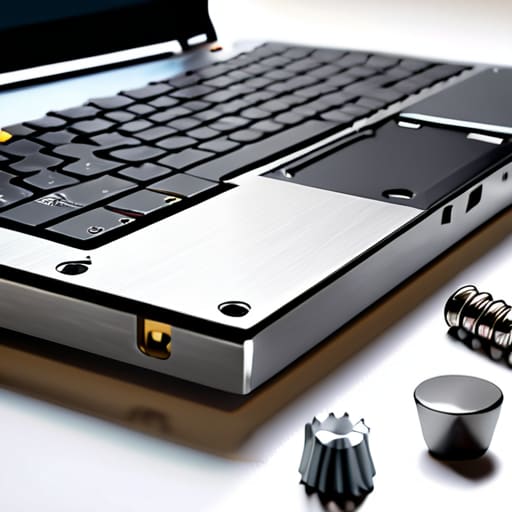
This is where the real heartbreak happens. You’ll see a sleek, thin chassis that looks beautiful in a showroom, but once you get it on your workbench, you realize it’s basically a high-tech paperweight. The industry has shifted toward a “glued junk” philosophy where everything is fused together. I’ve spent far too many afternoons trying to pry apart a screen or a bottom panel only to find that the manufacturer used industrial-strength adhesive instead of actual screws. When you’re looking at a device, you need to distinguish between modular laptop components and parts that are permanently bonded to the motherboard.
If you can’t see a clear path to the guts of the machine, assume it’s a trap. I always tell my junior techs to look specifically for the replaceable battery vs soldered distinction. If that battery is glued in with enough force to crack the casing during removal, you aren’t buying a computer; you’re renting a temporary gadget. You want to see slots. You want to see screws. If the RAM and SSD aren’t accessible via standard waypoints, that machine is destined for a landfill the moment a single chip fails.
Five things I look for before I even think about hitting 'buy'
- Check the manual for “serviceability,” not just “specs.” I don’t care if the processor is lightning fast if the manual doesn’t even mention how to access the internals; if the documentation is missing, the repairability is zero.
- Look for screw types, not just screw counts. A laptop with twelve standard Phillips screws is a dream, but if those screws are proprietary Pentalobe or Torx patterns you can’t find in a standard toolkit, you’re already starting at a disadvantage.
- Hunt for the “glue factor.” If the battery is encased in a hard adhesive instead of being held in by a simple bracket or a few screws, walk away. Glue is the enemy of a clean repair, and it’s how perfectly good machines end up in landfills.
- Verify the RAM and SSD slots. I’ve seen too many “modern” laptops where the memory is soldered directly to the motherboard. If it’s soldered, you’re stuck with whatever speed you bought, and you can’t upgrade when your workflow gets heavier.
- Search for teardown videos on YouTube before you checkout. I always do this. If you see a technician sweating, using a heat gun to pry off a plastic chassis, or complaining about ribbon cables that snap if you look at them wrong, believe them.
The Bottom Line
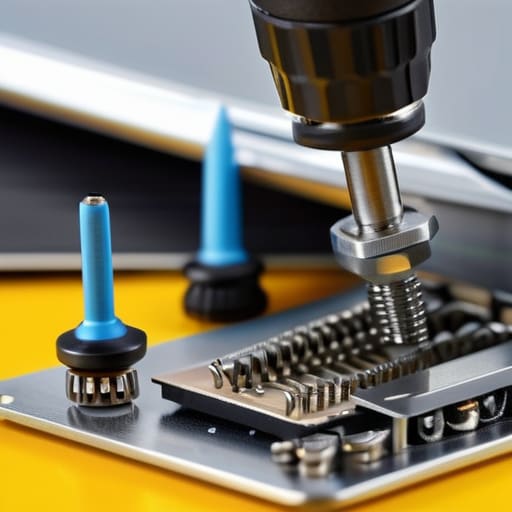
At the end of the day, checking repairability isn’t about being a hardware expert; it’s about doing your homework so you don’t end up with an expensive paperweight. We’ve looked at why you can’t just take a marketing slogan at face value, why those iFixit scores actually matter, and why glued-in components are the enemy of a long-lasting machine. If you can’t swap the battery or pop the RAM without a specialized heat gun and a prayer, you aren’t buying a tool—you’re renting a device that’s designed to die the moment something small goes wrong. Always look for screws, not adhesives, because that is the difference between a three-year lifespan and a ten-year one.
I know it feels overwhelming when you’re staring at a wall of technical specs and confusing jargon, but I promise you, it gets easier. Every time you choose a modular machine over a sealed one, you are voting for a world where things actually last. There is a unique kind of satisfaction in opening up a chassis, finding a part that’s actually accessible, and realizing you have the power to keep it running. Don’t let the manufacturers decide when your tech is “obsolete.” Grab your screwdriver, do your research, and take control of your own gear.
Frequently Asked Questions
What if the repairability score is high, but I can't find the specific parts I need online?
That’s the trap right there. A high score tells you the machine is designed to be opened, but it doesn’t guarantee a supply chain for the parts. If you can’t find a replacement keyboard or a specific battery on eBay or specialized vendors, that high score is just a theoretical number. Before you commit, search for the specific part number—not just the laptop model—to make sure you aren’t buying a very expensive paperweight.
Is it actually worth trying to fix a laptop if the manufacturer doesn't sell official replacement parts?
Look, I’ve spent many late nights hunched over a motherboard wondering if I was chasing a ghost. If the manufacturer won’t sell you the part, you aren’t dead in the water, but you are entering the “gray market” zone. You’ll be hunting on eBay or scavenging from broken units. It’s absolutely worth it if you have the patience, but don’t dive in unless you’re comfortable with a little bit of detective work.
How do I know if a "user-replaceable" battery is actually going to be a nightmare to get out without breaking the casing?
Look, “user-replaceable” is often marketing shorthand for “you’ll need a heat gun and a prayer.” Before you commit, search for a teardown video of your specific model. If you see someone prying with a plastic tool and sweating, it’s a trap. I always check if the battery is held in by screws or if it’s glued directly to the chassis. If it’s glued, you aren’t just replacing a battery; you’re performing surgery.
