
I was elbow-deep in the guts of a 1994 ThinkPad last Tuesday—trying to coax a dead CMOS battery back to life—when I realized just how much bad advice is floating around the internet. Most “experts” will tell you that you need a high-end digital multimeter and a degree in electrical engineering just to figure out how to diagnose a battery problem. They make it sound like some complex, mystical ritual, when in reality, most of the time it’s just a loose connection or a terminal that’s seen better days. Honestly, if you’ve been staring at a device that won’t power on, feeling like you’re hitting a brick wall, you don’t need a lecture on voltage theory; you just need to know what to touch first.
I’m not here to sell you a fancy diagnostic kit or waste your time with steps that assume you’ve already mastered the basics. My promise to you is simple: I am going to walk you through this one verified step at a time, starting with the stuff that actually matters. We’re going to skip the fluff and get straight to the real-world fixes that I’ve used for sixteen years on the service desk.
Table of Contents
Spotting the Obvious Signs of a Failing Battery

Before we start pulling out the tools, let’s talk about what your car is actually trying to tell you. Most of the time, a battery doesn’t just quit; it gives you a few warnings first. You might notice the engine cranking a little slower than usual in the morning, or maybe your headlights look a bit dim when you’re idling at a red light. These are classic signs of a failing battery that people often ignore until they’re stuck in a parking lot. If you’ve been hearing a clicking sound when you turn the key, that’s usually the starter solenoid struggling because it isn’t getting enough juice.
I also want you to pop the hood and just take a look before you do anything else. Don’t worry, you don’t need a degree for this. I always recommend a quick battery terminal corrosion check first. If you see that nasty white or bluish powder crusty stuff around the metal connectors, that’s likely your culprit. It acts like a layer of insulation, preventing the electricity from flowing where it needs to go. It’s frustrating, I know, but sometimes the “broken” battery is actually just a dirty connection.
The Quick Battery Terminal Corrosion Check You Need
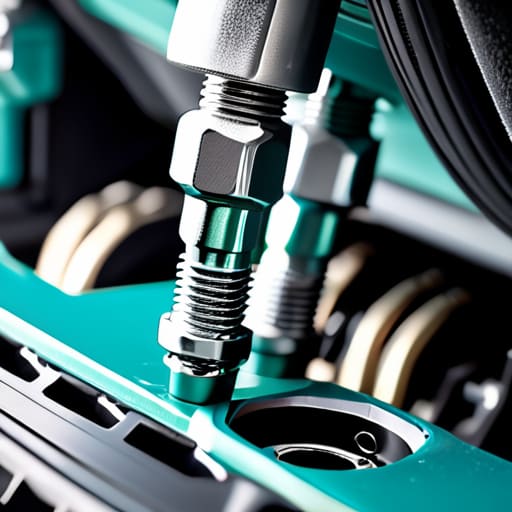
Before you go pulling out a multimeter to run a full battery discharge rate analysis, I want you to do something much simpler. Pop the hood and just look at the battery. I’ve seen so many people assume their battery is dead when, in reality, it just can’t “talk” to the car because of a layer of gunk. A proper battery terminal corrosion check is often the fastest way to solve a starting issue without spending a dime.
If you see any white, ashy powder or a crusty green buildup around those metal connectors, that’s your culprit. That corrosion acts like an insulator, blocking the electricity from flowing where it needs to go. It’s incredibly frustrating because everything looks fine on paper, but the connection is physically blocked.
Don’t panic if you see it; it’s a common fix. Grab a stiff wire brush or even an old toothbrush and some baking soda mixed with water. You’re just going to gently scrub that buildup away until you see the clean metal again. Once those terminals are shiny and tight, you might find that your “dead” battery was actually just suffocating under a layer of salt.
Five Things to Check Before You Go Buying a New Battery
- Grab a multimeter and check the voltage while the engine is off. If you aren’t seeing at least 12.6 volts, your battery isn’t holding a full charge, and no amount of jumping it is going to fix a dead cell.
- Watch your headlights while someone else cranks the engine. If the lights dim significantly or go completely dark when you turn the key, your battery is struggling to provide the necessary amperage to the starter.
- Listen for the “click-click-click” sound. If you hear a rapid clicking instead of the engine turning over, it usually means there’s enough power to engage the solenoid but not enough to actually spin the motor—a classic sign of a weak battery.
- Check the age of the battery itself. Most of these things only have a lifespan of three to five years; if yours has been sitting in that engine bay since the last administration, it’s probably time to stop troubleshooting and start shopping.
- Look for physical swelling or a “bloated” casing. If the battery looks like it’s trying to expand out of its housing, it’s been overcharged or subjected to extreme heat, and it’s officially a paperweight.
Don't Let a Dead Battery Win
At this point, you’ve likely checked the obvious signs, looked for that telltale slow crank, and hopefully scrubbed away any crusty corrosion on the terminals. If you’ve followed these steps, you aren’t just guessing anymore; you’re actually diagnosing the problem. Remember, if the terminals are clean and the connections are tight but the car still acts like it’s hibernating, the issue is almost certainly internal to the battery itself or perhaps a failing alternator. Don’t jump straight to buying the most expensive replacement on the shelf until you’ve verified these basics, because sometimes the fix is a lot cheaper—and a lot less stressful—than a trip to the auto parts store.
I know how it feels when you’re staring at a silent engine, wondering if your whole day is about to go down the drain. It’s frustrating, and it feels like the machine is working against you. But once you take that first step to look under the hood and actually interrogate the hardware, you take the power back. You aren’t just a victim of bad luck; you’re someone who knows how to troubleshoot. Take a breath, grab your flashlight, and trust the process. You’ve got this, and I promise, once you find that one missing link, the relief is going to feel a whole lot better than the headache you’re dealing with right now.
Frequently Asked Questions
If my battery is old but still holds a charge, does that mean I can ignore the warning signs for a while?
Look, I’ve seen this a dozen times: a battery that holds a charge but behaves like a temperamental toddler. Just because it isn’t dead yet doesn’t mean you can ignore the warning signs. If you’re seeing slow cranking or dimming lights, the battery is telling you it’s struggling. Don’t wait for it to fail in a grocery store parking lot at 9:00 PM. Test it now while you still have the luxury of choice.
I checked the terminals and they look clean, so could the problem actually be my alternator instead?
It absolutely could be. I’ve seen so many people swap out a perfectly good battery only to realize the alternator was the real culprit all along. Think of it this way: the battery is the storage tank, but the alternator is the pump that keeps it full. If the pump is broken, it doesn’t matter how much fuel you put in the tank. Let’s run a quick voltage test to see if it’s actually charging.
Is it worth buying a cheap multimeter to test this myself, or am I just going to end up more frustrated?
Look, I get the hesitation. You don’t want another piece of junk cluttering your junk drawer. But honestly? Grab a basic one. You don’t need a professional-grade Fluke to see if a battery is outputting 12 volts or just dying gasps. A cheap digital multimeter will cost you less than a decent lunch and it’ll stop the guesswork. Just promise me you’ll read the manual first—I’ve seen too many blown fuses from people skipping the basics.
